
Your car pulls left on a straight road, the back end steps out when you touch the throttle, and Vice City traffic seems to have a death wish. GTA 6 driving feels different from GTA 5 for a reason: Rockstar rebuilt the vehicle system from scratch, and the handling has real weight again. The good news is that most of the struggle comes from a few fixable habits and a few settings most players never open.
These are the tips that actually work, grounded in how the game drives, not generic advice.
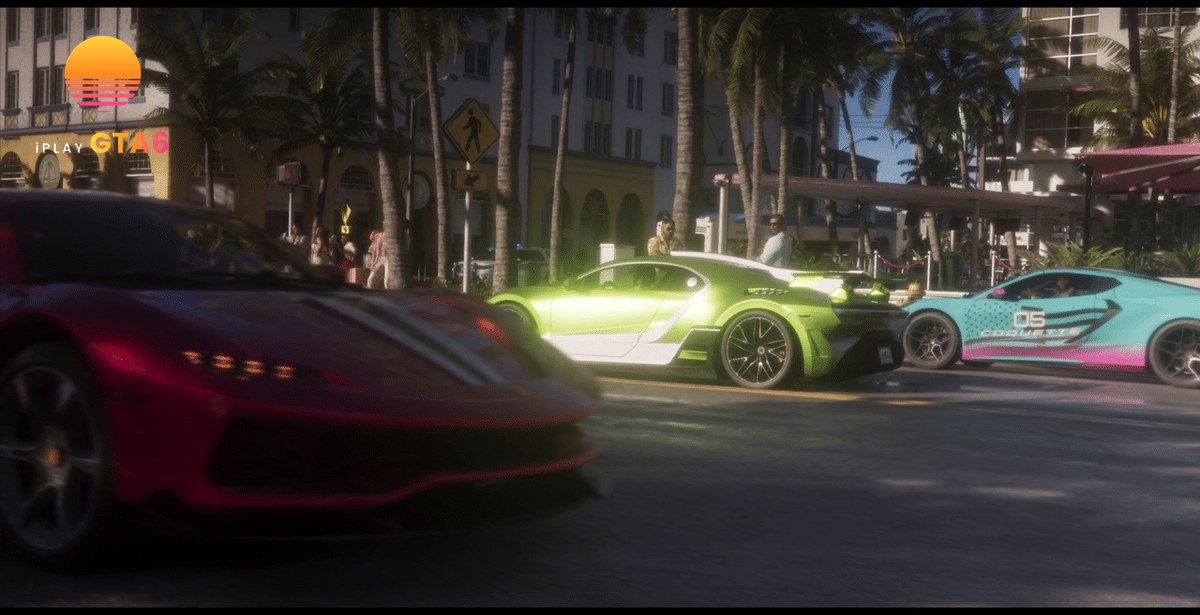
Why GTA 6 Cars Feel Hard to Keep Straight
Rockstar co-studio head Rob Nelson described the goal as the best parts of the weightiness of GTA 4 with the accessibility of GTA 5. Every car runs its own simulated parts: drivetrain layout, tyre type, and suspension setup decide how it behaves, not just top speed. Cars pitch forward under hard braking and lean through corners, and weight transfer is visible and affects grip. Brake discs even glow red after heavy use and cool as air flows over them.
Vice City makes it harder. Its streets are narrower and more realistic in scale than Los Santos, with denser, less predictable AI traffic. Nelson put it plainly: driving here requires a bit of skill. That is not a flaw in the game. It is the game asking you to drive differently from GTA 5, where cars stuck to the ground and crashes barely mattered. Our GTA 5 vs GTA 6 driving comparison covers the full handling change.
Feather the Throttle, Especially in Rear-Wheel Drive
The triggers are pressure-sensitive, and this is the single biggest fix. Fully holding R2 or RT in a rear-wheel-drive car breaks rear traction. One guide puts it bluntly: holding R2 fully on the Ganado is why it feels like driving on ice. Jason's starter Vapid Ganado has a heavy nose and a loose rear end, and hard throttle can spin the car on the spot.
Feed the power in gradually instead. Partial throttle through the corner, full throttle only once the car is straight. Rear-wheel drive steps out if you feed power in too early out of a corner. Front-wheel drive pushes wide instead. All-wheel drive sits between the two, gripping and going. European sports cars grip hard, brake predictably, and show little body roll, which makes them the safest picks for weaving through Vice City traffic. Electric cars like the Coil Raiden deliver instant torque from a standstill, so they need the same gentle touch.
Brake Before the Corner, Never In It
Cars dip and roll with their weight, and braking while already turning makes the front tyres lose grip so the car slides wide. Brake in a straight line before the corner, then turn in. It feels slower. It is faster, because you keep the grip for the turn instead of spending it on the brakes.
Save the handbrake for hairpins and sharp turns only. In GTA 6 the handbrake is Cross on PS5 or A on Xbox, not R1 as it was in GTA 5. R1 now shoots from the car, and plenty of players have learned that the hard way. Avoid the handbrake on fast bends entirely. Use nitrous, L3, on straights only.

If It Pulls to One Side, It Is Damaged
A car pulling to one side on a straight road is not a handling quirk. Side impacts and suspension damage can make a car pull, and a hard hit can damage the engine, tear off a wheel, or bend the suspension. Repeated front-end hits wear down engine health until the car fails. A car pulling to one side has suspension damage, so fix it.
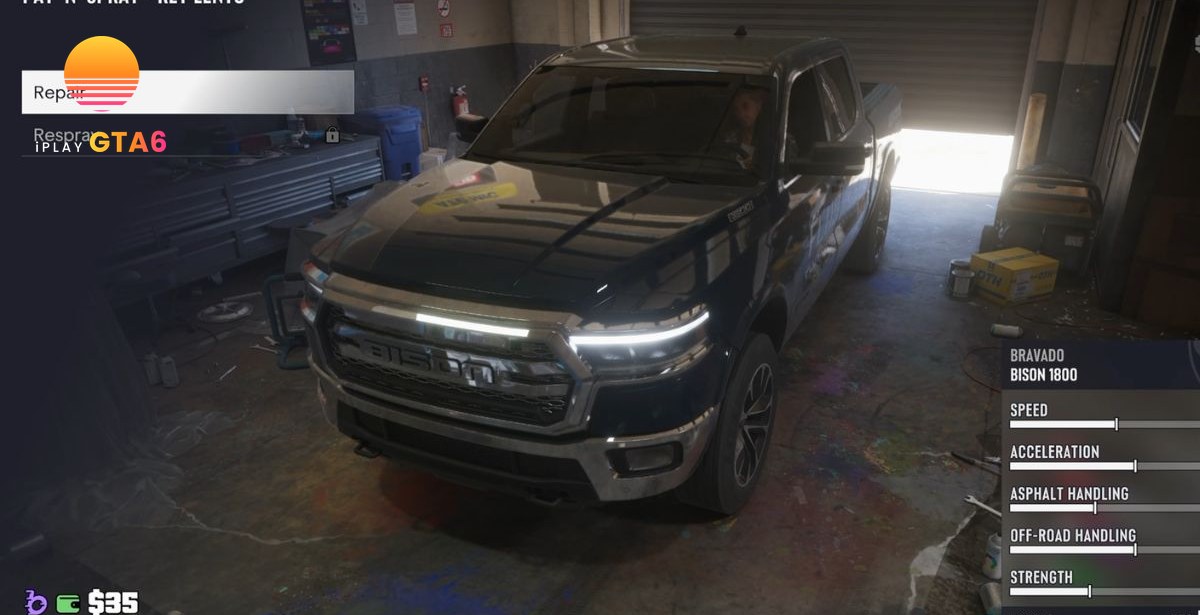
Gas stations fix minor damage, and Pay 'n' Spray handles bigger repairs. A damaged car should be repaired rather than fought, because steering and acceleration get worse after crashes. If the car flipped, stand next to it and hold Square or X to roll it back. You can no longer rock a flipped car back upright from inside.
Wet roads make everything worse. Wet tarmac lengthens stopping distances and breaks traction sooner, so slow down in the rain and expect the car to need more room. Low-profile tyres dig into sand, mud, and shallow water and kill speed, while lifted trucks handle that terrain with full suspension travel. Tall pickups and ladder-frame SUVs are top-heavy too: a sharp corner at speed loads the outer springs and can push the body toward a rollover.
The Settings That Actually Help You Drive Straight
There is no steering assist setting in GTA 6, and no difficulty setting either. Do not go looking for one. Three real assists exist, plus two settings tweaks that make steering far more precise.
Go to Settings, Controller tab, Controller Features, and set Deadzone (Left Stick) to 0 to 2. The default is 4. Lowering it makes small steering corrections register sooner. Keep 1 to 2 if your controller has stick drift, and use 0 only on a perfect controller.
In the Controller tab under DualSense features, Adaptive Speed Limiter is on by default. It holds the vehicle at a reasonable speed for the road when you hold R2 to the resistance point. Hold there for steadier driving and press past it only for full speed.
In the Camera tab, set Camera Height (All Vehicles) to High. The default Medium view hides too much of the road ahead. A wider view over traffic makes it easier to hold a line. Keep Follow Delay (Driver) at 0 so the camera snaps behind the car on turns.
In the Gameplay tab, Reduced Vehicle Damage is the last of 25 options. It reduces damage taken by your vehicle, with a warning that it will significantly change the balance of the game. It is damage protection, not a steering assist, but less damage means the handling stays clean for longer.
Set Auto Drive to Unrestricted in the Gameplay tab, then hold D-pad Down, switch to Cinematic camera, and hold Circle or B to enable it. Set a waypoint first and the car drives itself there. L2 and R2 change its speed. It only works in cinematic camera.
Two more controller options help you feel the car. Adaptive Triggers Resistance and Adaptive Triggers Vibration, in the Controller tab under DualSense features, add resistance and feedback so you can feel how much throttle you are applying. Our best settings guide covers the full Display and Controller setup, and our controls guide lists every button change.
Pick the Right Car for the Job
Every car has a stat panel in a mod shop menu: Speed, Acceleration, Asphalt Handling, Off-Road Handling, and Strength. Asphalt Handling is the stat to watch for city driving. Lucia's '77 Manana, for example, shows Speed 3.7, Acceleration 3.6, Asphalt Handling 3.4, Off-Road Handling 3.2, and Strength 3.0. Performance upgrades raise the numbers: an Engine Upgrade Stage 1 added 0.3 to speed and acceleration on Jason's '70 Ganado. Check the panel before you commit to a car, and tune the one you drive most.
Focus Mode for Tight Spots
Click both sticks, L3 and R3, to trigger Focus Mode, which briefly slows time. It is useful for threading heavy traffic or nailing a 90-degree turn at speed. Use it sparingly, for the moments where a normal turn would end in a crash, and the rest of your driving will feel calmer by comparison.
Quick Questions
Why won't my car drive straight in GTA 6?
Usually it is full throttle in a rear-wheel-drive car, which breaks rear traction, or suspension damage from a crash, which makes the car pull to one side. Feather the throttle and repair the car.
Is there a steering assist in GTA 6?
No. There is no steering-assist toggle and no difficulty setting. The real assists are Reduced Vehicle Damage, Auto Drive, and the Adaptive Speed Limiter.
What deadzone should I use for driving in GTA 6?
Set Deadzone (Left Stick) to 0 to 2, down from the default 4. Keep 1 to 2 if your controller has stick drift, and use 0 only on a perfect controller.
How do I use Auto Drive in GTA 6?
Set Auto Drive to Unrestricted in the Gameplay tab, set a waypoint, hold D-pad Down to open the cinematic camera, then hold Circle or B to enable it. It only works in cinematic camera.
Why does my car pull to one side?
That is suspension damage from a side impact or a hard hit. Repair it at a gas station for minor damage or a Pay 'n' Spray for bigger repairs.
What is the handbrake button in GTA 6?
Cross on PS5 or A on Xbox. In GTA 5 it was R1, but in GTA 6 R1 shoots from the car, so do not press it by habit.
Drive it like it has weight, because now it does. Feather the throttle, brake early, fix the damage, and let the settings do the rest.